

What does medical timeline software actually do for attorneys?
Medical timeline software converts raw medical records into structured, chronological case exhibits with every entry linked to its source document. For personal injury and disability attorneys, that means no more manually cross-referencing a 3,000-page hospital record against a paralegal's spreadsheet at 11 PM before a deposition.
The core benefits are practical and immediate:
- Time compression. AI extraction can produce a first-draft chronology faster than building one by hand, so paralegals spend their time verifying entries instead of typing them.
- Defensibility. Every chronology entry links back to the exact source page, so you can verify a fact under cross-examination without leaving the platform.
- Clinical detail. Automated tools can help surface ICD-10 codes, treatment gaps, and provider inconsistencies that are easy to miss in long records.
- Causation support. Some platforms help organize pre-existing conditions and accident-related treatment side by side, which supports, but does not replace, the causation analysis.
- Workflow integration. Many tools export to formats usable in demand letters, mediation briefs, and trial prep, and some integrate with case management systems.
- HIPAA compliance. Reputable platforms handle PHI under a Business Associate Agreement, encrypt data at rest with the NIST Advanced Encryption Standard, and use TLS in transit.
For Social Security disability cases, the SSA's Blue Book general information explains that disability depends on a medically determinable impairment that has lasted or is expected to last at least 12 months. A well-structured chronology built from the claimant's full medical record helps document that longitudinal evidence.
Types of medical timeline software for attorneys in 2026
The market has split into two broad tiers: AI-native platforms built specifically for medical record review, and general timeline or diagramming tools adapted for legal use. Case management systems sit in between, with chronology features of varying depth. The table below maps each tool type to its primary use case.

| Tool type | Best for | What to look for | Limits |
|---|---|---|---|
| AI-native medical chronology platforms | PI, workers' comp, disability, and med-legal review | OCR on scanned and handwritten pages, page-level citations, treatment-gap flags, editable exports | Output still needs attorney or reviewer verification |
| Case management chronology features | Firms that want the chronology inside an existing matter file | Native integration, shared access, matter-level permissions | Depth of medical extraction varies widely |
| General visual timeline tools | Trial presentation and case event mapping | Customizable visuals, event linking, export formats | Manual data entry; no medical record extraction |
| ChartInsight™ | PI, workers' comp, and med-legal review | Page-cited chronology, narrative summary, extracted vitals and medications, built-in PDF viewer, Research Assistant, DOCX/PDF export | Access starts with a demo |
What to examine closely in AI-native platforms:
Ask how each platform handles handwritten and scanned records. Handwritten notes from a treating physician can be among the most probative records in a case, and OCR quality on those pages varies.
Ask whether a reviewer can see exactly where each chronology entry came from. A citation that opens the source page lets the attorney confirm the entry before it goes into a demand, a deposition outline, or a mediation brief.
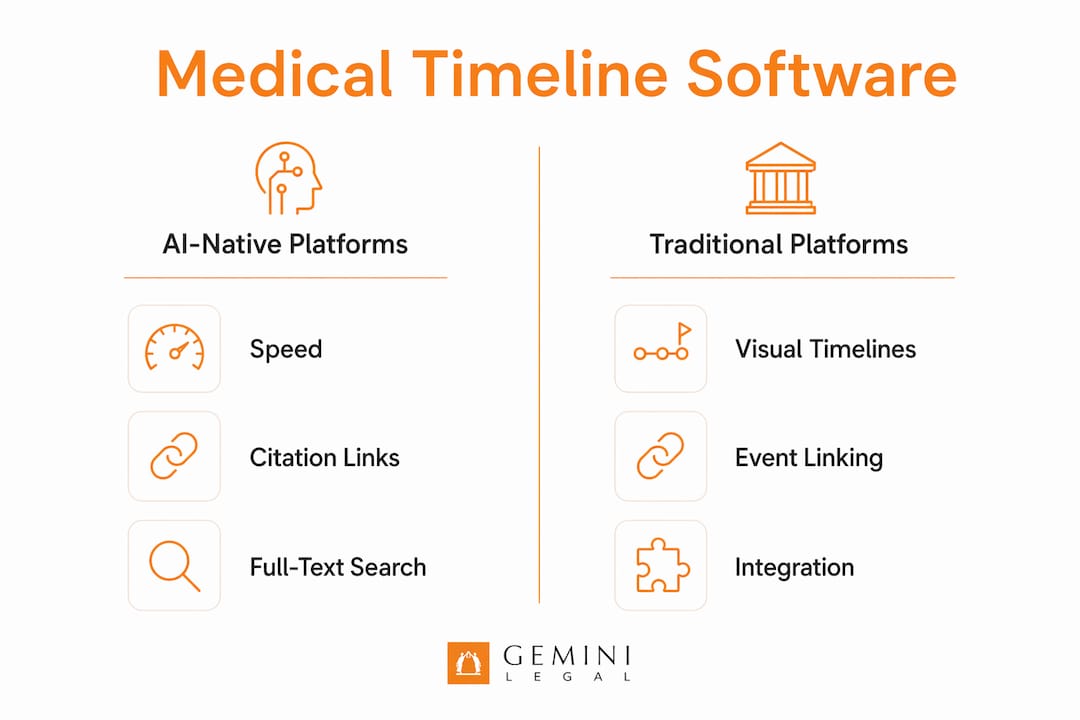
If your firm already runs a case management system, check how the chronology moves into the matter file. Integration reduces duplicate data entry and keeps the team working from the same record.
General and visual timeline tools:
General visual timeline tools work well as presentation layers once the substantive chronology is already built elsewhere. They typically require manual data entry and have no medical record extraction capability.
How attorneys should choose medical timeline software
Practice area fit is the first filter. A workers' comp attorney handling apportionment disputes under the AMA Guides needs a platform that surfaces pre-existing conditions and P&S status clearly. A mass tort attorney needs bulk import and multi-plaintiff filtering. Those are different tools.
Key selection criteria:
- Citation reliability. Can you click from a chronology entry directly to the source page in the original PDF? If not, the output is harder to defend under discovery demands or cross-examination.
- AI extraction accuracy. Ask vendors for accuracy benchmarks on handwritten records and scanned documents, not just clean EHR exports. That is where accuracy differs most.
- Integration with your existing systems. Effective timeline software integrates with legal case management systems and supports export in multiple formats for trial, mediation, and settlement prep.
- HIPAA compliance posture. Ask for a signed BAA, an independent security audit such as SOC 2 Type II, and AES-256 encryption at rest. HHS Security Rule guidance describes the administrative, physical, and technical safeguards a vendor handling PHI should be able to explain.
- Support and training. Vendor training affects how quickly a team gets comfortable with the tool and how consistently staff use it on real cases.
Pro Tip: Before committing to any platform, run a pilot on a closed case with a complex, multi-provider record. Measure how long extraction takes, how many entries require manual correction, and whether the output is usable in a demand letter without reformatting. That test tells you more than any demo.
For disability law specifically, SSA's duration requirement asks whether an impairment has lasted or is expected to last at least 12 months, so the record has to be read over time. A chronology tool that can filter by date range and provider, and export a clean exhibit, is more useful there than one with a polished interface but little filtering depth.

What clinical flags in medical chronology tools actually change for your case
Some of the most useful automated features are the ones that help surface what defense counsel is likely to raise, early enough to address it.
- ICD-10 and CPT code identification. Automatic extraction of diagnosis and procedure codes lets you spot billing inconsistencies, confirm treatment is coded consistently with the claimed injury, and flag records where a provider billed for a condition that predates the accident.
- Treatment gap detection. Gaps in treatment are a common defense argument in PI cases. Platforms that flag date gaps before you build your demand let you address the explanation proactively rather than reactively. For how the same issue looks from the client's side, this consumer guide on why medical treatment timing matters for injury claims walks injured people through documenting the reason for any gap in care.
- Pre-existing vs. accident-related condition separation. Organizing pre-existing and accident-related treatment side by side across every provider gives the attorney and experts a faster starting point for causation analysis, which still requires professional judgment.
- Provider and facility identification. Knowing which provider ordered which study, and whether that provider later served as a defense IME examiner or expert witness, matters for cross-examination prep.
- Inconsistency flagging. Treatment notes that contradict each other across providers are easy to miss in sequential review. AI review can process every page and help surface those contradictions for a human to confirm.
- MMI and P&S date identification. For workers' comp matters, the date a treating physician declares MMI or P&S is a legal threshold, not just a clinical note. Tools that tag those entries specifically help reviewers find them quickly.
An ABA Litigation Section article on reviewing medical records notes that entry-level associates are often burdened with reviewing a massive amount of medical records, and recommends having a nurse paralegal prepare a detailed medical chronology to identify missing, illegible, or suspicious records. Automated clinical flagging can help with that work while attorney judgment stays in the process.
Key Takeaways
AI-native medical timeline software helps attorneys build citation-linked chronologies faster, and page-level citations make each entry easier to defend under cross-examination, discovery demands, and IME challenges.
| Point | Details |
|---|---|
| Citation linkage is the baseline | A chronology without direct source-page links is harder to defend under cross-examination or discovery. |
| Practice area fit matters | Workers' comp, PI, and disability cases each require different extraction priorities; choose accordingly. |
| Clinical flags reduce surprises | Automated ICD-10, gap, and inconsistency flagging helps surface likely defense arguments early. |
| ChartInsight™ for defensible review | ChartInsight™ produces page-cited chronologies with a built-in PDF viewer, extracted vitals, and a medications table. |
What the conventional wisdom on legal AI gets wrong
The standard pitch for medical timeline software focuses on speed. Faster chronologies, faster demands, faster settlements. That framing is not wrong, but it misses the more durable value.
The real payoff is defensibility under pressure. A fast chronology is of little use if opposing counsel can challenge any entry because the attorney cannot immediately point to the source page. The tools that hold up in practice are the ones where the AI output and the underlying evidence are the same workflow, not two separate documents you have to reconcile.
Paralegals and legal nurses who work with these tools daily often see this first. NALA's day in the life of a litigation paralegal describes a workday prioritized around upcoming trials, mediations, and depositions, with the medical chronology updated as medical and billing records are reviewed. A tool that requires leaving the platform to check a source document breaks that workflow. One that opens the source PDF in the same window, on the same page, does not.
The other underappreciated issue is user adoption. A platform with strong AI but a confusing interface will be underused, and an underused tool produces inconsistent output. Training and vendor support are not afterthoughts; they strongly affect whether the tool changes how the team works.
ChartInsight™ keeps every chronology entry tied to its source page
Personal injury and workers' comp attorneys who need a defensible chronology have an option in ChartInsight™.
ChartInsight™, built by Gemini Legal, processes the full medical record and returns a structured, page-cited chronology, a narrative summary, extracted vitals, and a medications table. Every entry in the chronology, narrative summary, and medications table carries a live citation back to its source page, and clicking that citation opens the page in the built-in PDF viewer.
Teams can configure custom templates, so every case comes back in the same structure. The Research Assistant lets you ask a question and get a cited answer pointing to the source pages. Outputs export to editable DOCX or PDF with citations preserved.
Book a demo to see ChartInsight™ run on a real medical record.
FAQ
What is medical timeline software for attorneys?
Medical timeline software converts unstructured medical records into chronological, citation-linked exhibits attorneys can use in demand letters, depositions, and trial. The best platforms extract dates, diagnoses, and treatment events automatically and link each entry to its source document page.
How does AI extraction handle handwritten or scanned records?
Purpose-built platforms use OCR to process handwritten notes and scanned PDFs alongside clean EHR exports. ChartInsight™, for example, runs OCR on scanned, digital, photocopied, and handwritten pages. Ask any vendor to demonstrate results on your own difficult records.
What compliance standards should medical timeline software meet?
Look for a signed HIPAA Business Associate Agreement, an independent security audit such as SOC 2 Type II, and strong encryption, such as AES-256 at rest and TLS in transit. HHS Security Rule guidance describes the safeguards a vendor handling PHI should be able to explain.
Does ChartInsight™ work for personal injury and workers' comp review?
Yes. ChartInsight™ is built for personal injury and workers' comp attorneys, paralegals, and legal nurse consultants who need page-cited outputs they can defend in a demand, a deposition, or at hearing. The built-in PDF viewer and page-cited chronology support causation and pre-existing condition review by tying each finding to its source page.