

TL;DR:
- Legal output templates are structured frameworks that insert resolved case data into standardized fields to produce consistent, defensible documents. They rely on upstream data processing and centralized clause libraries to ensure accuracy and ease updates, and AI-assisted outputs should be paired with documented verification to meet professional-responsibility duties. Proper testing, format selection, and regular audits are essential for maintaining template effectiveness and legal defensibility.
A legal output template is a pre-designed, structured document framework that legal professionals use to produce consistent, accurate, and defensible documents by inserting case-specific data into standardized fields. Template platforms offer libraries of customizable templates for personal, business, real estate, and medical-legal use, and the promise is faster, more consistent drafting. In workers' comp, personal injury, and QME/IME contexts, understanding what a legal output template is means understanding how defensibility gets built into a document before a single fact is typed. These frameworks are not shortcuts. They are the structural backbone of any documentation workflow where accuracy and traceability are non-negotiable.
What is a legal output template in automated legal systems?
A legal output template works through field mapping and tokenization. Placeholders embedded in RTF or Word (.docx) files, such as {{ClientName}} or {{CaseCode}}, are replaced by live case data pulled from a case management system during document generation. Automated systems replace placeholders with client names, case codes, dates, and other structured data without manual retyping.

The process typically runs in two modes. Direct generation produces the document immediately from available data. Multi-step generation pauses to let the reviewer input additional information or confirm data selections before the final document is output. Multi-step processes enhance accuracy over immediate download approaches because they give the reviewer a checkpoint before the document is finalized.
Format selection matters more than most practitioners realize, and it is platform-specific. LegalServer, for example, accepts RTF templates and fillable PDFs and will not process Word .docx files, while Veeva Vault builds formatted output templates in .docx using its own token syntax. Choosing a format the platform does not support is one of the most common reasons a template fails silently, producing a document that looks correct but contains unpopulated fields.
The distinction between simple and structured templates also matters in practice. Simple templates rely on find-and-replace of single fields. Structured templates use syntax that supports conditional sections, dynamic clause insertion, and multi-value fields. The upgrade is worth the setup time for any firm generating more than a handful of documents per week.
Pro Tip: Build and test every template with a real case record before deploying it firm-wide. Synthetic test data misses edge cases that real records expose immediately.
Best practices and common pitfalls in legal template design
The single most important rule in legal template design is this: keep templates "dumb." Templates should render resolved values, not perform calculations or apply conditional business logic internally. All processing belongs upstream, in the case management system or data layer, before the template ever receives the data.
Why logic belongs upstream, not inside the template
When a template contains embedded logic, it becomes fragile. A change to a data field, a new case type, or a jurisdictional update can break the logic silently. The document generates without error messages, but the output is wrong. Moving logic upstream means the template only ever sees final, resolved values, including boolean flags that control conditional sections.
Centralizing clause libraries and firm information
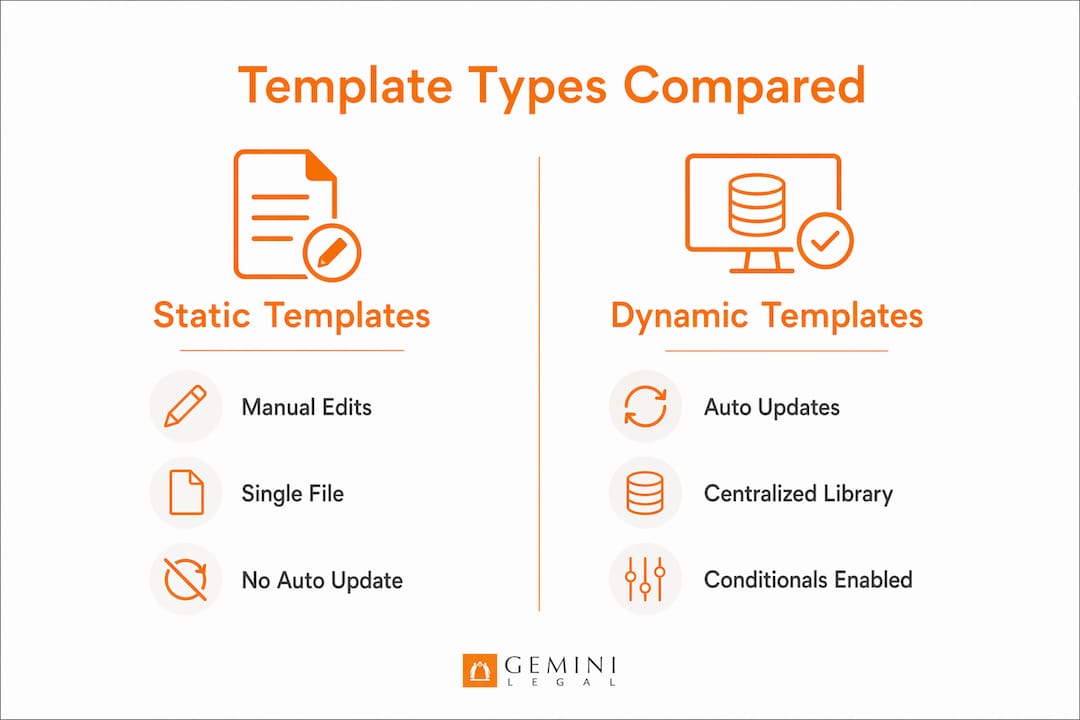
Clause library placeholders that reference a centralized API allow templates to reflect updated standard legal language instantly without manual edits to individual files. This is the correct approach for any language that appears across multiple templates, such as arbitration clauses, indemnification language, or HIPAA notices.
Firm-wide information, including office addresses, bar registration numbers, and phone numbers, should never be typed directly into a template. Externalizing firm-wide information into a centralized configuration prevents the maintenance overhead of updating dozens of templates every time the firm moves offices or adds a practice location.
Comparison: static templates vs. dynamic templates
| Feature | Static Template | Dynamic Template |
|---|---|---|
| Clause updates | Manual edits to each file | Automatic via clause library API |
| Firm info changes | Update every template individually | Update one centralized config |
| Conditional sections | Requires multiple template versions | Controlled by platform conditional syntax |
| Maintenance burden | High | Low |
| Error risk | High with scale | Reduced through upstream data resolution |
Conditional syntax such as Veeva Vault's ${HideTableIf} in Word templates allows designers to hide or show entire tables based on evaluated conditions; other platforms offer equivalent constructs. This eliminates the need to maintain separate template versions for different case types or jurisdictions, which is a significant reduction in overhead for firms handling diverse matters.
Pro Tip: Schedule a quarterly template audit. Local court rules, judge-specific requirements, and state regulations change frequently. A template that was compliant in January may not be compliant in October.
How do legal output templates support AI-assisted and medical-legal documentation?
AI-assisted legal documentation introduces a compliance layer that standard templates were not originally designed to address. When an AI system generates a summary, a chronology, or a QME report, the output must be verifiable. The document framework itself needs to capture not just the content but the evidence trail behind it.
ABA Formal Opinion 512 (July 2024) sets out the duties that apply when lawyers use generative AI, including competence, confidentiality, communication with clients, and supervision, and it makes clear that lawyers cannot rely on AI output without reviewing it. The opinion does not prescribe a particular artifact. Verification log templates, such as the one published by Legal AI Governance, are one practitioner-built way to document that review by capturing citation checks, authority confirmation, and reasoning verification with an attorney sign-off.
The implications for medical-legal work are direct:
- QME and IME reports must trace every clinical finding to a specific page in the medical record. A template that does not include citation fields is not fit for purpose in this context.
- Apportionment analyses referencing the AMA Guides require that the source data, the page, the provider, and the date of the underlying record entry, be preserved in the output.
- Medical-legal reports filed with the DWC, including AME and QME reports, carry content and formatting requirements that generic document templates do not satisfy.
- AI-generated narrative summaries should carry documented verification when used in any proceeding where the output may be challenged; a verification log is a practical way to show that review happened.
"A signed verification log is the artifact a court, a carrier, or a disciplinary investigator will ask for if AI-assisted work product is later challenged." (Legal AI Governance)
Templates are frameworks, not substitutes for attorney judgment, particularly on jurisdictional nuances and local compliance requirements. The template handles structure and consistency. The attorney handles legal sufficiency. That division of responsibility is not a limitation of the technology. It is the correct design.
For medical-legal reviewers using AI-assisted record review, the template structure must align with the output the AI produces. A nine-section narrative summary requires a nine-section template. A chronology requires a template that preserves date, event, provider, and page citation as discrete fields, not a single block of prose.
What are the practical steps to create effective legal output templates?
Building a legal output template that holds up under scrutiny requires more than copying a prior document and adding placeholders. The following steps reflect how practitioners who produce defensible outputs actually build and deploy templates.
Select the correct format first. Confirm whether your case management system or AI platform accepts RTF, Word .docx, or fillable PDF. Build the template in the required format from the start. Converting after the fact introduces formatting errors that are difficult to trace.
Map every data field before writing a single placeholder. List all the data points the document needs: client name, date of injury, treating providers, case number, office location, language preference. Match each to the exact field name in your case management system. Mismatched field names are the leading cause of unpopulated placeholders in generated documents.
Configure usage criteria to filter template display. Where your platform supports it, filter templates by case type, language, or office, so users only see templates relevant to their current matter. This prevents the wrong template from being applied to the wrong case type, which is a common source of defensibility problems.
Externalize all firm-wide information. Office addresses, phone numbers, and registration numbers belong in a centralized configuration, not inside the template file. Reference them via placeholder.
Build conditional sections using platform-supported syntax. If your platform supports
${HideTableIf}or equivalent conditional logic, use it to control sections that apply only to specific case types, rather than maintaining parallel template versions.Run the template against three to five real case records before deployment. Test with cases that represent the full range of data conditions: complete records, records with missing fields, and records with unusual provider structures. Document what breaks and fix it before the template goes live.
Train every user on the multi-step generation process. Users who skip the review step in multi-step generation defeat the accuracy benefit the process was designed to provide. Training is not optional for high-stakes outputs.
Key takeaways
A legal output template is only as defensible as the data it receives, the logic that resolves that data upstream, and the verification process that follows generation.
| Point | Details |
|---|---|
| Definition and core function | A legal output template is a structured framework that inserts resolved case data into standardized fields to produce consistent documents. |
| Keep templates simple | All business logic and computations belong upstream; templates should only render final, resolved values. |
| Centralize supporting content | Clause libraries and firm-wide information should live outside the template and be referenced by placeholder. |
| Document verification of AI outputs | AI-assisted legal documents should be paired with documented review, such as a verification log capturing citation checks and attorney sign-off. |
| Test before deployment | Run every template against real case records and configure usage criteria to prevent misapplication. |
What most template guides leave out
The advice to "keep templates simple" sounds obvious until a firm inherits a template library where someone embedded a fee calculation inside a Word field. A document like that can generate correctly for years until a rate change breaks it silently. No error. No warning. Just wrong numbers in signed reports.
The lesson is not just technical. It reflects a deeper problem in how legal teams think about templates. They treat them as finished products rather than maintained infrastructure. A QME report template that was accurate when California's MTUS guidelines were last updated may not reflect current treatment standards. A workers' comp chronology template that does not include a field for P&S status will produce outputs that miss a critical milestone every time.
What works is treating the template library the way a good firm treats its clause library: with ownership, version control, and a scheduled review cycle. Pair that with documented verification for any AI-assisted output, and you have a documentation workflow that can stand up to a DWC audit or a deposition challenge. Skip either piece, and you are relying on luck.
The role of document templates in legal practice is not to replace attorney judgment. It is to make attorney judgment faster and more consistent. The practitioners who get the most value from templates are the ones who understand that distinction clearly.
See how ChartInsight™ handles templates and citations in one workflow
ChartInsight™ is built for reviewers who have to defend every line of what they produce. Every output, whether a nine-section narrative summary, a chronology, a normalized vitals table, or a medications list, carries a live citation back to the exact page in the source PDF. Clicking that citation opens the record inside the app, so verification happens in place, without downloading or page-flipping.
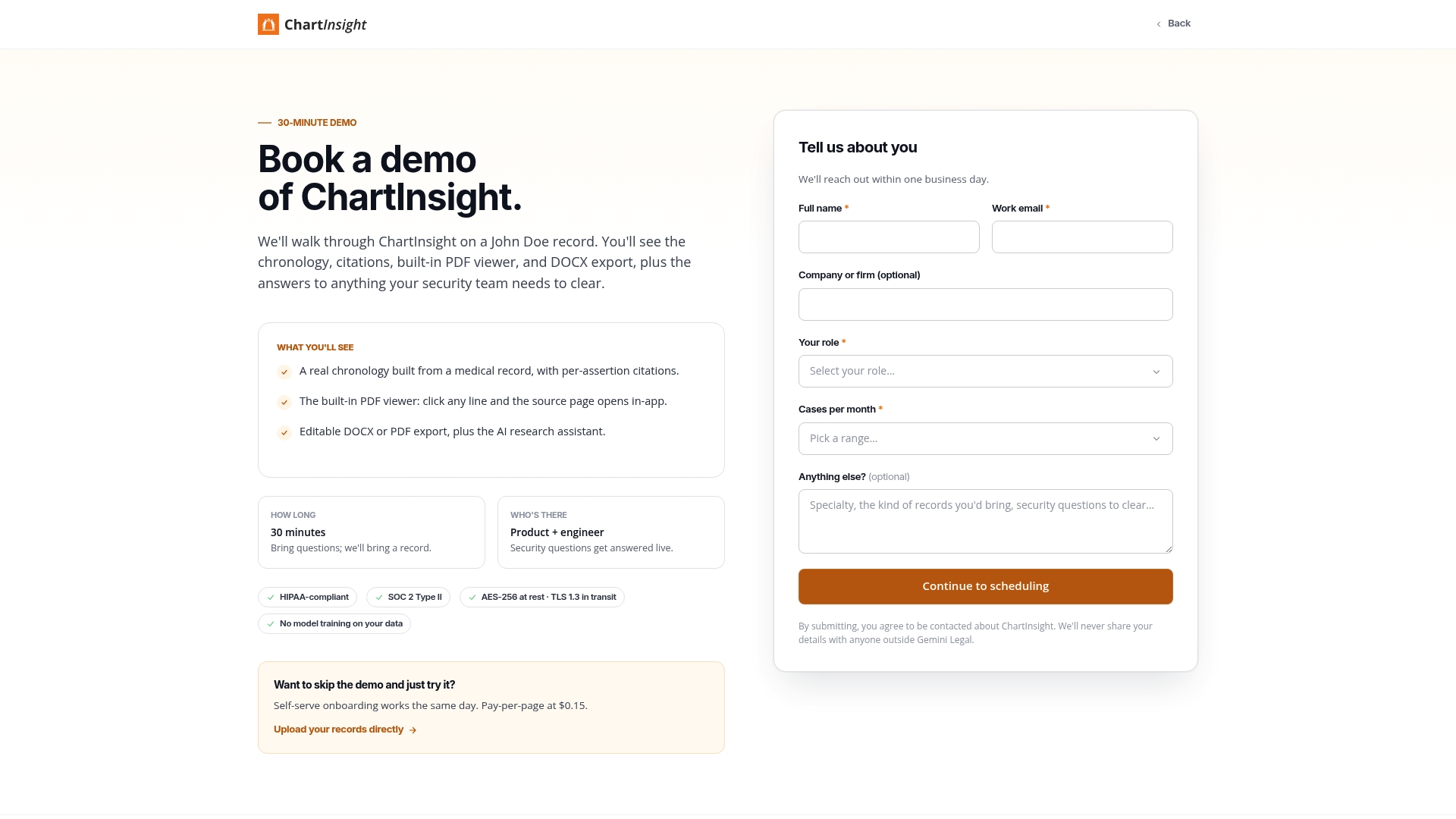
Teams configure Templates in ChartInsight™ as output presets per use case, so a QME report and a peer review come back in the correct structure every time. The Prompt Library stores reusable analysis blocks. Outputs export to editable DOCX or PDF with page citations preserved. For workers' comp adjusters, personal injury attorneys, and clinical reviewers who need consistent, cited outputs, book a demo to see the full workflow in practice.
FAQ
What is a legal output template?
A legal output template is a pre-designed document framework that uses field mapping and tokenization to insert case-specific data into standardized positions, producing consistent and defensible legal documents without manual drafting.
How do legal templates differ from standard document templates?
Legal output templates are configured with usage criteria, citation fields, and conditional logic specific to legal workflows, whereas standard document templates are generic formatting frameworks without case data integration or compliance requirements.
What file formats work best for legal output templates?
It depends on the platform. Some systems, such as LegalServer, accept only RTF templates and fillable PDFs; others, such as Veeva Vault, build templates in Word .docx with platform-specific syntax. Confirm the required format before building.
Do AI-generated legal documents require a separate verification log?
Not by rule, but in practice it is prudent. ABA Formal Opinion 512 requires lawyers to review generative AI output and to meet duties of competence, confidentiality, communication, and supervision; it does not mandate a specific log. A verification log that captures citation checks, authority confirmation, and attorney sign-off is a practical way to document that the review happened.
How often should legal output templates be updated?
Templates should be audited at least quarterly. Local court rules, MTUS guidelines, DWC requirements, and judge-specific preferences change frequently, and an outdated template can produce outputs that fail compliance review without generating any visible errors.